Descriere
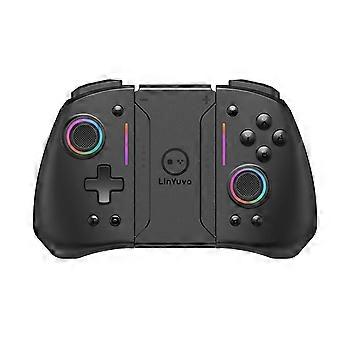
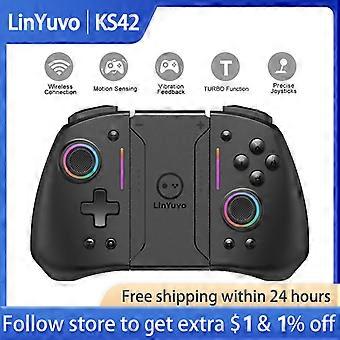
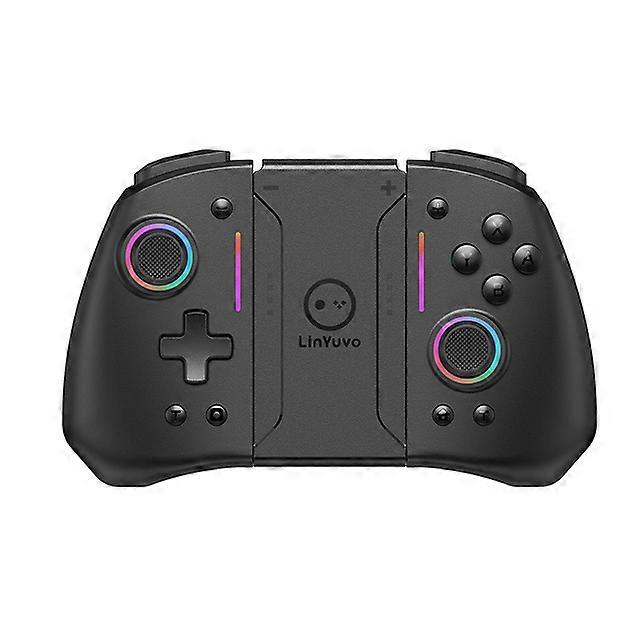
LinYuvo KS42 Gamepad Switch Controller for Nintendo Switch/OLED/Lite, Wireless Switch Joypad Bluetooth Games Console Controller
[LinYuvo Gamepad Switch Controller for Nintendo Switch/ PC/ Android/ IOS]
6-Axis Gyro Motion Sensor
8 Colors RGB Lights
Wake up Function
Upgrade Metal Joystick
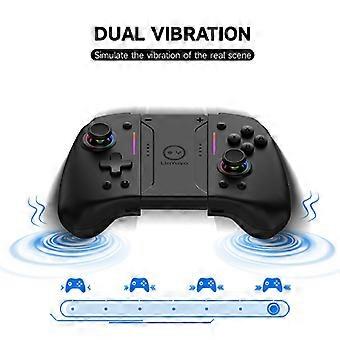
Adjustable Dual-Motor Vibration (5 modes)
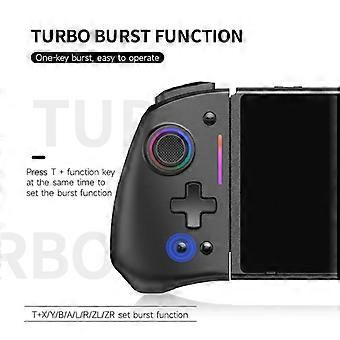
Adjustable Turbo Speeds (3 modes)
Auto-fire Function
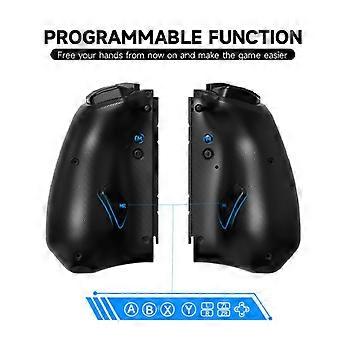
Programmable Function
6.5 hours Long Gaming Time
Ergonomic Handle Design
Environmentally Friendly Material
The gamepad is equipped with a 6-axis gyroscope to support somatosensory control, which can sensitively capture the players movements and accurately reflect them in the game.
The wake up function which can help you quickly enter the game world! The wireless gamepad can be quickly connected to the game console, plug the slide rail into the host for use and pull out the slide rail toautomatically connect to the host
via bluetooth.
The game controller has two vibration motors, there are four vibration intensities that can be adjusted. Which can enhance the immersion of the game and provide a real-time and realistic game experience.
The gaming controller supports programmable funtion, users to customize the buttons on the back with simple settings. Create your own personalized configuration and conquer other players!
The switch controller comes with an upgraded metal joystick, sensitive rotation precise adjustment, which is more beautiful and durable.
The bluetooth gamepad has turbo burstfunction, there are three speeds to adjust, that can make it easier to win an arcade or action game.
The beautifully designed adjustable LED light comes in different colors. Colors and brightness can be optioned, you can easily change the style of the light with a button!
The gaming joypad has a 500 mah high-density lithium battery inside, about 6.5 hours of playtime with 3 hours of charging time.
The delicate touch and diamond laser anti-slip texture allow you to control the keys more quickly.
Ergonomic handle design, comfortable grip, easier to play for a long time.
Environmentally friendly material, safe and assured.
Product information
Transmission medium Bluetooth 2.1
Carrier Frequency 2.402-2.480GHz
Protocol Bluetooth BT2.1+EDR
LED 8 LEDs with multiple colorful lights
Pairing After the handle enters the pairing mode, if the pairing is not successful within 2.5 minutes, it will automatically sleep
Battery left and right a polymer lithium battery 3.7V/500mAH
Battery life: 6.5 hours of continuous work once fully charged
Working voltage 3.7V-4.2V
Charging voltage 5V
Temperature cycle and high and low temperature working requirements -10~50
Required storage temperature -20~70
Drop test height 1.2m 6 sides 2 cycles Marble floor
Key force Silicone key force is 160g, light touch switch force is 160g
Key life (ABXY, arrow keys, L2, R2 keys) silicone keys 500,000 times. L, R, Home, Camera, +, , T keys 100,000 times
5.3.1 Wireless Mode
In the off state: long press the following key combination to enter pairing mode
Switch mode: long press the pairing button for 2 seconds, the LED1-LED4 marquee flashes quickly. The channel light is always on when the connection is successful
5.3.2 Turbo and AUTO TURBO functions
1. In any mode
Press the TURBO key + A/B/X/Y/L1/L2/R1/R2 cross key to set the TURBO function
(For the first time) Press the TURBO key + A key to realize the manual TURBO function (press and hold the burst)
(Second time) Press the TURBO key + A key to realize the automatic TURBO function (automatic burst)
(Third time) Press the TURBO key + A key to clear the TURBO function (clear)
Note: Press and hold the individual TURBO button for 5 seconds (vibration prompt) to clear the manual TURBO/automatic TURBO function
2. TURBO speed adjustment (there are three speeds adjustable)
Left handle adjustment method: press the TURBO button and - button, press the speed to increase one gear, three gears can be adjusted, and cycle in turn
Right handle adjustment method: Press the TURBO button and add the + button, press the speed to increase one gear, three gears can be adjusted, and cycle in turn
3. Motor vibration adjustment function
Press and hold the vibration button on the back to adjust the vibration intensity of the motor (the left and right handles can be used as separate handles to adjust the vibration, and the vibration intensity can be cycled in turn). There are five intensities in total, 100%, 75%, 50%, 25%, and 0%.
4. Controller hardware reset
Press and hold the HOME button for more than 10 seconds to reset the handle hardware.
5. Reconnect the handle
When the handle is matched with the previous device, you only need to press the HOME button after the handle is in standby to connect back to the previous device.
5.3.3 Charging
Shut down and charge, led 4 lights flash slowly, fully charged and off
5.3.4 Play mode while charging
switch: The corresponding channel light flashes slowly a
-
ID Fruugo:
308793571-691363816
-
EAN:
9123213496598
Informații privind siguranța produsului
Vă rugăm să consultați informațiile despre siguranța produsului specifice acestui produs prezentate mai jos
Următoarele informații sunt furnizate de comerciantul independent terț care vinde acest produs.
Etichete de siguranță pentru produse

Avertismente de siguranță:
IMPORTANT SAFETY INSTRUCTIONS
READ BEFORE USE: Read all instructions and safety warnings before using this product. Failure to follow these guidelines could result in injury, damage, or malfunction.
GENERAL WARNINGS
INTENDED USE: Use this product only for its intended use as described in the user manual.
SUPERVISION REQUIRED: This product is not intended for unsupervised use by children or persons with reduced physical, sensory or mental capabilities.
INSPECT BEFORE USE: Inspect before use for any signs of damage or wear. Do not use if damaged.