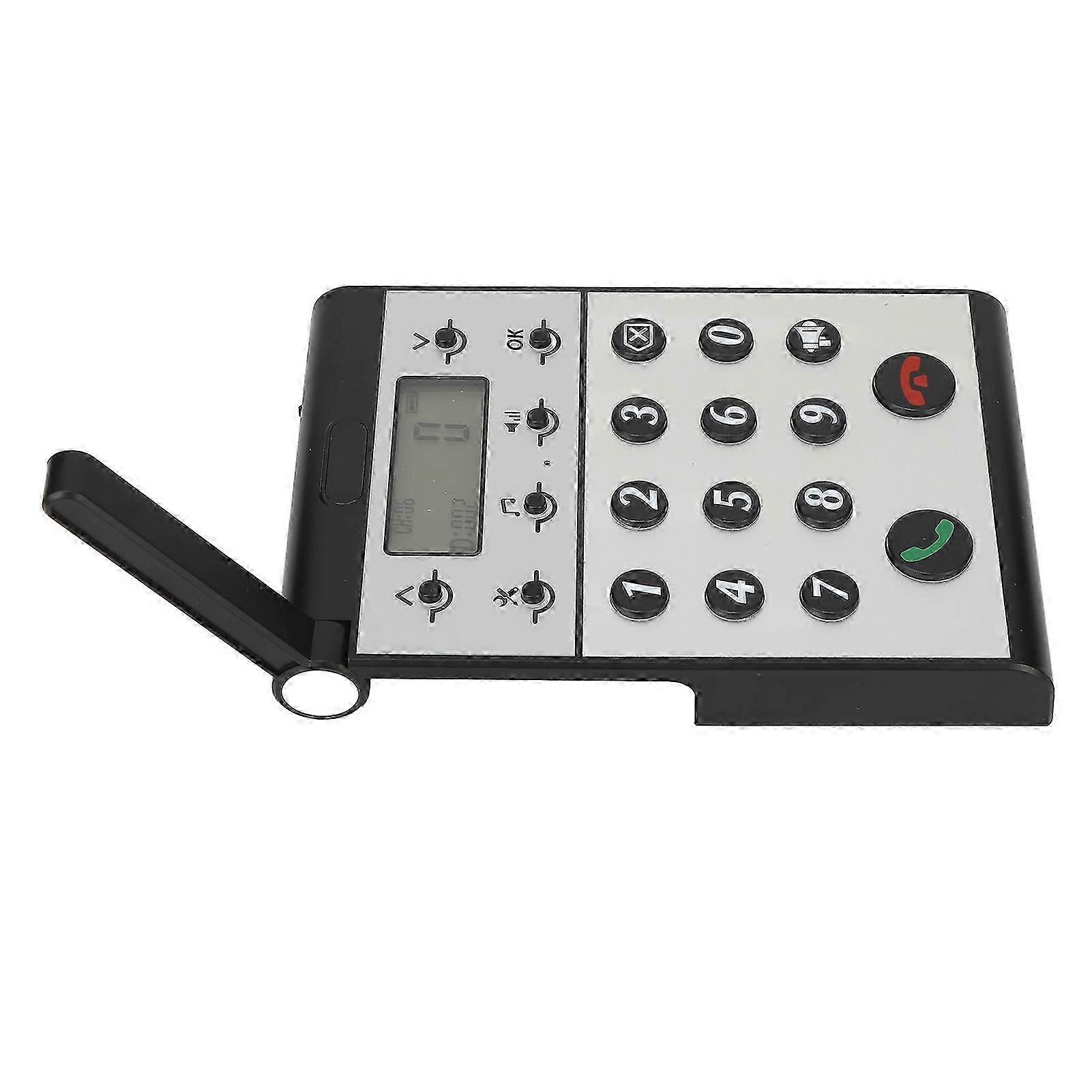
Wireless Intercom System for Home Two Way Talk 2km Range LCD Screen Group Calls Room To Room Master Intercom

259,00 RON
+ 55,99 RON Livrare

Wireless Intercom System for Home Two Way Talk 2km Range LCD Screen Group Calls Room To Room Master Intercom

  • Marcă: Unbranded
Vândut de:

Wireless Intercom System for Home Two Way Talk 2km Range LCD Screen Group Calls Room To Room Master Intercom

  • Marcă: Unbranded

259,00 RON

Economii 130,00 RON (33%)

Preț recomandat

389,00 RON
În stoc
+ 55,99 RON Livrare

Politica de retur pe 14 zile

Vândut de:

259,00 RON

Economii 130,00 RON (33%)

Preț recomandat

389,00 RON
În stoc
+ 55,99 RON Livrare

Politica de retur pe 14 zile

Acceptăm următoarele metode de plată

Descriere

Wireless Intercom System for Home Two Way Talk 2km Range LCD Screen Group Calls Room To Room Master Intercom

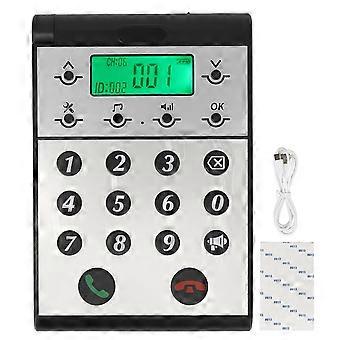
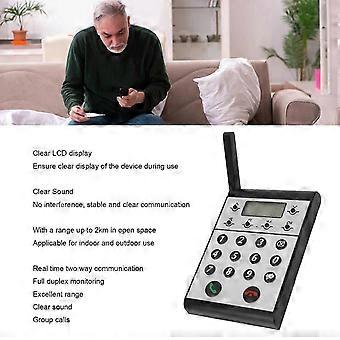
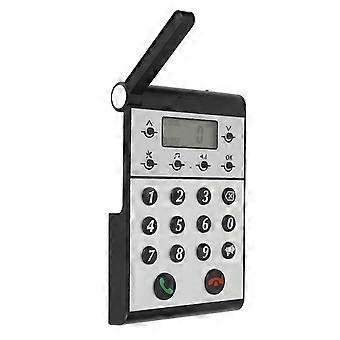
Description Wireless Intercom System for Home Two Way Talk 2km Range LCD Screen Group Calls Room To Room Master Intercom Item Type: Wireless Intercom Maerial: ABS Built in Battery: 2000mAh Lithium ion Battery Volume Level: 7 Levels Communication Distance: Up to 2km in open space Host to Host Intercom: All hosts can call each other Host to Sub intercom: Host can call sub intercoms How e Step One: Setting the ID Number for the Host 1. Press and hold the Settings key for 3 seconds until a beep is heard. 2. The screen will display 1. 3. Press the OK key and ID: 999 will begin to flash. 4. Use the keypad to input the desired ID number (0 is between 1 and 998). 5. Press OK to confirm and an audible dudu sound will indicate that the ID number has been set successfully. Step Two: Setting the Same Channel CH for the Host 1. Press and hold the Settings key for 3 seconds until a beep is heard. 2. Press the upward arrow key ^ once and the screen will switch from 1 to 2. 3. Press OK and CH: 01 will begin to flash. 4. Use the upward or downward v arrow key to adjust the channel CH, selecting a channel number between 01-20. 5. Press OK to confirm and an audible dudu sound will indicate that the channel CH has been set successfully. Step Three: Setting the Same Password for the Host 1. Press and hold the Settings key for 3 seconds until a beep is heard. 2. Press the upward arrow key ^ once more and the screen will switch from 1 to 3. 3. Press OK and 000 will begin to flash. 4. Use the keypad to input the desired password, a three-digit number between 001-999. 5. Press OK to confirm and an audible dudu sound will indicate that the password has been set successfully.
  • ID Fruugo: 408645431-865767100
  • EAN: 8936090420966

Informații privind siguranța produsului

Vă rugăm să consultați informațiile despre siguranța produsului specifice acestui produs prezentate mai jos

Următoarele informații sunt furnizate de comerciantul independent terț care vinde acest produs.

Etichete de siguranță pentru produse

CE Mark
Avertismente de siguranță: WARNING! NOT TO BE EXPOSED TO INFANTS AND CHILDREN, MAY CAUSE CHOKING!
Ingrediente: Octinoxate 6.5%

Livrări şi Returnări

Expediat în 24 de ore

  • STANDARD: 55,99 RON - Livrare între mie. 24 decembrie 2025–mie. 31 decembrie 2025

Livrare de la China.

Facem tot ce ne stă în putinţă să ne asigurăm că produsele comandate de dumneavoastră vă sunt livrate în întregime şi conform specificaţiilor. Cu toate acestea, dacă primiţi o comandă incompletă sau articole diferite de cele comandate, sau aveţi alt motiv pentru care nu sunteţi mulţumit de comandă, puteţi returna comanda sau orice produse incluse în comandă şi primiţi o rambursare completă pentru articole. Vizualizaţi întreaga politică de returnare