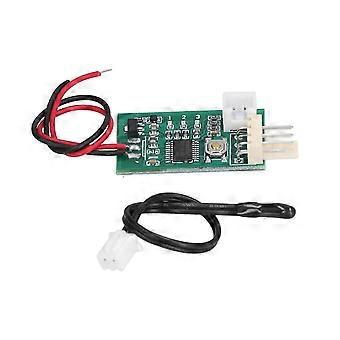
prodef Fan Temperature Controller Accurate Control Manual Automatic DC 12V PWM Speed Controller intelligence
178,30 RON
+ 96,49 RON Livrare

prodef Fan Temperature Controller Accurate Control Manual Automatic DC 12V PWM Speed Controller intelligence
Vândut de:

178,30 RON

Economii 10,00 RON (7%)

Preț recomandat

188,30 RON
În stoc
+ 96,49 RON Livrare

Politica de retur pe 14 zile

Metode de plată:

  • Marcă: Unbranded

Descriere

prodef Fan Temperature Controller Accurate Control Manual Automatic DC 12V PWM Speed Controller intelligence
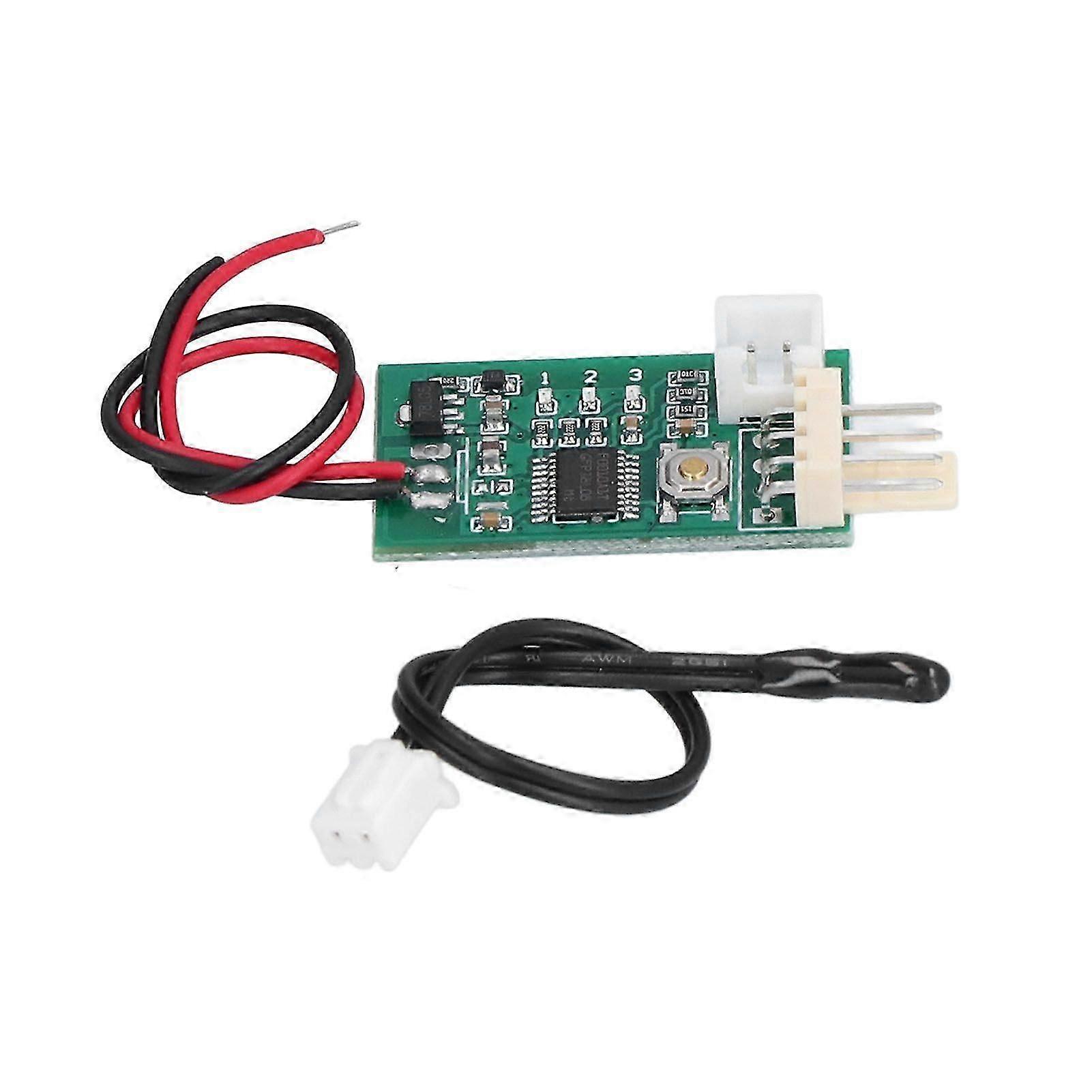
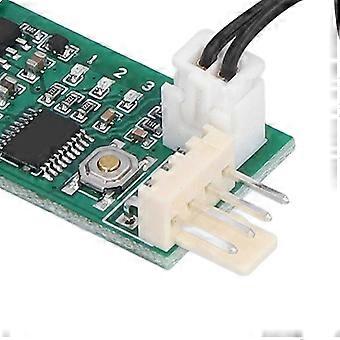
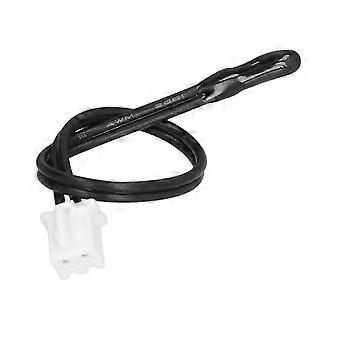
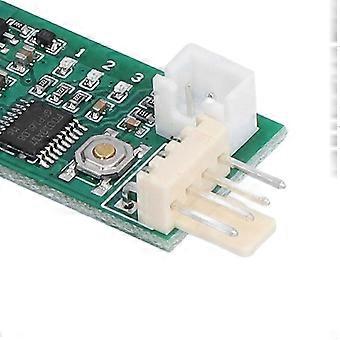
Feature:1. Manual or Automatic: This PC fan temperature controller integrates manual speed regulation and automatic temperature control and speed regulation function.2. Reverse Timing Fan: This PC fan temperature controller supports the control of the reverse timing fan.3. PWM Control Mode: This PC fan temperature controller has conventional PWM fan control mode (default mode). This mode is used for the four wire fan control.4. Reverse Sequence Mode: Conventional reverse sequence PWM fan control mode is used in most reverse timing four wire fan control. When fan is in normal mode control, speed change is opposite, and control line is connected to negative pole at full speed.5. Reverse Sequence Fan 80% Control: This mode is used in a very rare type of reverse timing fan. When the fan is in conventional mode control, the speed change is opposite, and the control line is not turned when the negative electrode is connected.Specification:Item Type: Fan Temperature ControllerMaterial: PlasticWorking Voltage: DC12V Can Work in the Range of 8-18V, Please Pay Attention to the Fan Withstand VoltageCurrent Consumption: No More Than 20mAFan Interface: 2510-4P Lacks 1 Elbow (Special Interface for Computer 4P Fan)Fan Current: the Interface Can Withstand 3A, if You Need to Control a Larger Current Fan, Please Take the Fan Power Cord SeparatelyPWM Output Range: 10% -100Working Temperature: -10℃ to 60℃Temperature Probe Parameters: NTC 50K B=3950Probe Temperature Resistance: 120℃ for Small Black Head, 110℃ for Ring ProbeBoard Size: Approx. 34 x 19 x 11mm / 1.34 x 0.75 x 0.43in (Excluding the Extended Interface), the Fan Interface Extends 8mmFactory Default Values of the Setting Parameters: Low Speed 20%, Acceleration Temperature 30°c, Acceleration Width 5°c. Under This Temperature Setting, Hold the Thermal Probe with the Palm of Your Hand and It Will Accelerate After a While, and the Probe Will Get Full Speed within 2 Minutes if It is Clamped into the Armpit.It Integrates Manual Speed Regulation and Automatic Temperature Control and Speed Regulation Function:1. Manual Control Without Temperature Probe. Click / Double‑click (double‑click Speed Not Too Fast) Button Up / Down Gear. Each Shift Continues After 20 Seconds, and the Gear is Automatically Stored. the No. 2 Indicator Flashes Rapidly in 20 Seconds (when the Temperature Control is Invalid). when the Flash is Stopped, It Indicates That the File Has Been Stored. the 3 / 1 Indicator Light is Always on when You Can Not Continue to Increase / Not Continue to Reduce the Position.2. when the Temperature Probe is Installed, the Manual Speed is Used As the Initial Low Speed (bottom Line Speed). when the Temperature Exceeds the Accelerating Temperature, the Fan Speed Accelerates Smoothly with the Increase of Temperature. when the Temperature Reaches and Exceeds the Sum of the Acceleration Temperature and the Acceleration Width (full Speed Temperature), the Fan Runs at Full Speed.Normal Operation: Click the Button Bottom Line Output Increased by 5%. Double Click the Bottom Line to Reduce Output by 5%. After Changing the Value, Run for 20 Seconds. Automatically Save the Parameters Until the Intermediate Indicator Stops Flashing. Enter the Temperature Control Setting by Long Press Button.Temperature Setting State: Speed Setting (slow Flash), Click and Double‑click to Set Up the Value, and then Enter the Acceleration Width Setting by Long Press. Acceleration Width Setting (flash), Click and Double‑click to Change the Value, then Long Press to Save and Exit the Temperature Settings.Note: If You Do Not Operate in the Set State for 20 Seconds, then Automatically Exit the Settings, Do Not Save Parameters.Example Instruction:Bottom Line 20%, Acceleration Temperature 35, Acceleration Width 15.When the Probe Temperature is Lower Than 35 Degrees Centigrade, the Output Signal is Always 20%. when the Probe Temperature is Higher Than 35 Degrees, the Controller Can Increase the Output Signal Smoothly According to the Temperature Rise, and the Fan Accelerates. when the Probe Temperature Reaches or Exceeds 50 (35+15), the Controller Outputs the Full Speed Signal and the Fan Runs at Full Speed. According to the Specific Performance of the Fan, the Actual Speed of the Fan Will Be Somewhat Different.The Controller Has Supported the Control of the Reverse Timing Fan. Specific Setting Method:First, Power off and Remove the Fan. Press the Set Button to Electrify the Controller. Keep the Settings Button Always Hold (about 3 Seconds) Until the Three Lights Turn into Double Flash State and then Release the Button.The Indicator Lamp Turns into a Single Light, Which Represents the Entry Mode Setting State.The Controller is Divided into Three Kinds of Working Modes, Corresponding to 1, 2, 3 Indicator Light Double Flashing, Through Short Press Button Switch, Set the Long, Press the Button to Save and Exit the Set Mode and Automatically Back to Normal Working State. the Three Working Modes Are
  • ID Fruugo: 486860682-1008442846
  • EAN: 6115613076190

Informații privind siguranța produsului

Vă rugăm să consultați informațiile despre siguranța produsului specifice acestui produs prezentate mai jos

Următoarele informații sunt furnizate de comerciantul independent terț care vinde acest produs.

Etichete de siguranță pentru produse

CE Mark
Avertismente de siguranță: Do not let your children touch this product alone to avoid swallowing or other injuries

Livrare

Expediat în 2 zile

  • STANDARD: 145,79 RON - Livrare între joi 13 august 2026–lun. 24 august 2026

Livrare de la China.

Returnări și anulări

Returnări

Facem tot ce ne stă în putinţă să ne asigurăm că produsele comandate de dumneavoastră vă sunt livrate în întregime şi conform specificaţiilor. Cu toate acestea, dacă primiţi o comandă incompletă sau articole diferite de cele comandate, sau aveţi alt motiv pentru care nu sunteţi mulţumit de comandă, puteţi returna comanda sau orice produse incluse în comandă şi primiţi o rambursare completă pentru articole.

Vizualizaţi întreaga politică de returnare

Anulări

Aveți dreptul de a retrage achiziția în termen de 14 zile de la primirea comenzii, fără a oferi un motiv. Pentru a vă exercita cu ușurință dreptul, puteți utiliza linkul „Anulați comanda” din subsolul fiecărei pagini sau din contul dvs. Fruugo, la secțiunea „Comenzi”. După ce vă exercitați dreptul de retragere, vă vom trimite un e-mail de confirmare. Dacă comanda dvs. a fost deja expediată de comerciant, vă vom oferi instrucțiunile de returnare necesare pentru a ne asigura că rambursarea dvs. este procesată prompt.

Vezi politica completă de anulare

Detalii de conformitate a produsului

Vă rugăm să consultați informațiile de conformitate specifice acestui produs prezentate mai jos.

Următoarele informații sunt furnizate de comerciantul independent terț care vinde acest produs.

Producător:
În continuare se prezintă informațiile de contact ale producătorului produsului relevant vândut pe Fruugo.

  • Nan Tong Yi Xin Ji Suan Ji Wang Luo You Xian Gong Si
  • Nan Tong Yi Xin Ji Suan Ji Wang Luo You Xian Gong Si
  • Room B0605, Xingan International Plaza, No. 156 Gongnong South Road, Chongchuan District,
  • Nantong City
  • CN
  • 226000
  • [email protected]
  • 18392992646

Persoana responsabilă în UE:
În continuare se prezintă informațiile de contact ale persoanei responsabile din UE. Persoana responsabilă este operatorul economic desemnat, cu sediul în UE, care este responsabil pentru obligațiile de conformitate referitoare la produsul relevant vândut în Uniunea Europeană.